
Schedule your testers and assign selections — visually
See who’s available, who’s on leave, and what needs to be tested this week. Drag selections onto testers or let auto-assign balance the workload for you.

Your entire testing schedule at a glance
A visual grid showing every region, every tester, and every selection — by day, week, fortnight, or month. Switch between “By Region” and “By Tester” views instantly.
- Colour-coded selection cards show pending, active, and completed status at a glance
- Unassigned selections sit at the top until you drag them onto a tester
- Drag and drop to reassign selections between testers
- Unavailable testers are flagged in red so you don't accidentally assign to them
- Today's column is highlighted so you always know what's happening now
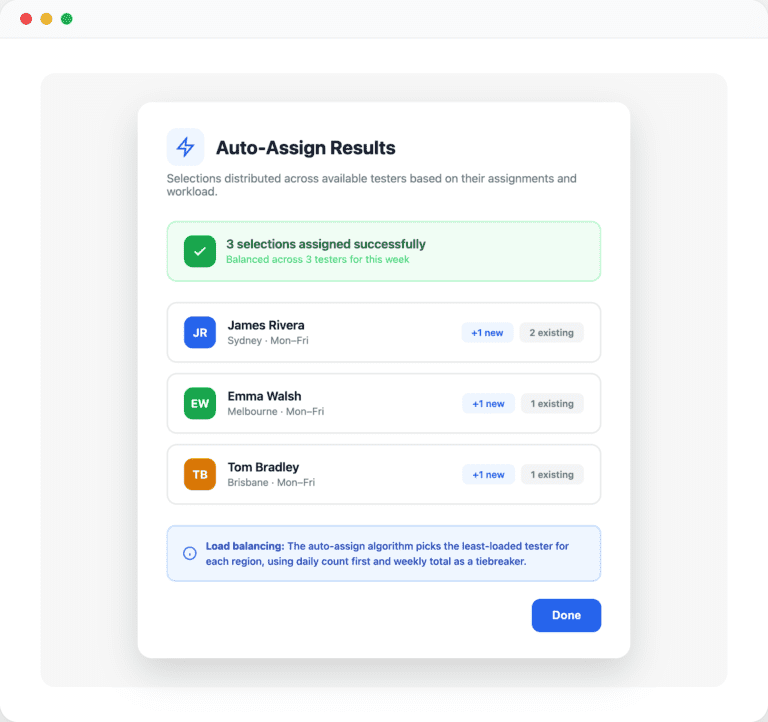
One click to distribute the week's workload
Auto-assign looks at each tester’s region, availability, and current workload, then distributes unassigned selections to the least-loaded tester.
- Assigns all unassigned selections for the current week in one click
- Picks the least-loaded tester per region using daily count and weekly total as a tiebreaker
- Respects tester assignments — only assigns to testers rostered for that region and day
- Skips testers marked as unavailable (leave, training, etc.)
- Shows a summary of what was assigned and to whom
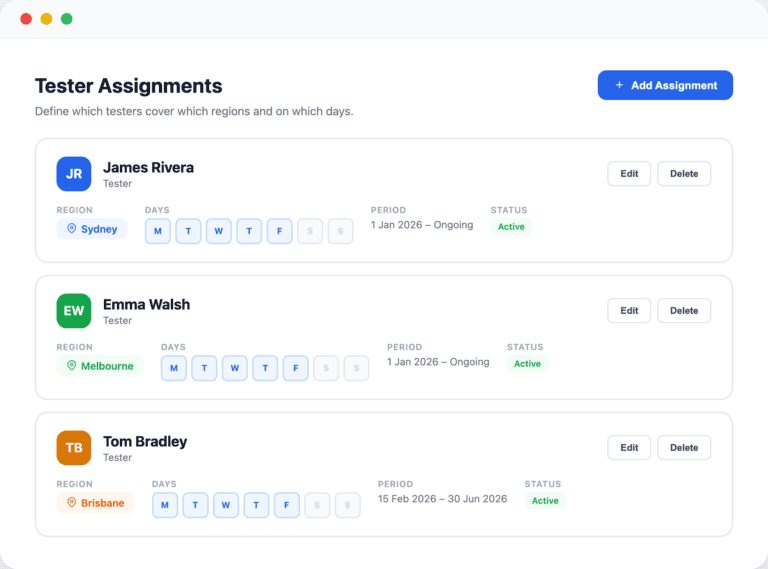
Define who covers which region and when
Create standing assignments that tell the board and auto-assign which testers are responsible for which regions, and on which days of the week.
- Assign testers to regions with specific days of the week (e.g. Monday–Friday)
- Set start and end dates for time-bound assignments or leave them ongoing
- Multiple testers can cover the same region for backup or rotation
- Edit or deactivate assignments at any time without losing history
- The board and auto-assign both use these assignments to make smart decisions
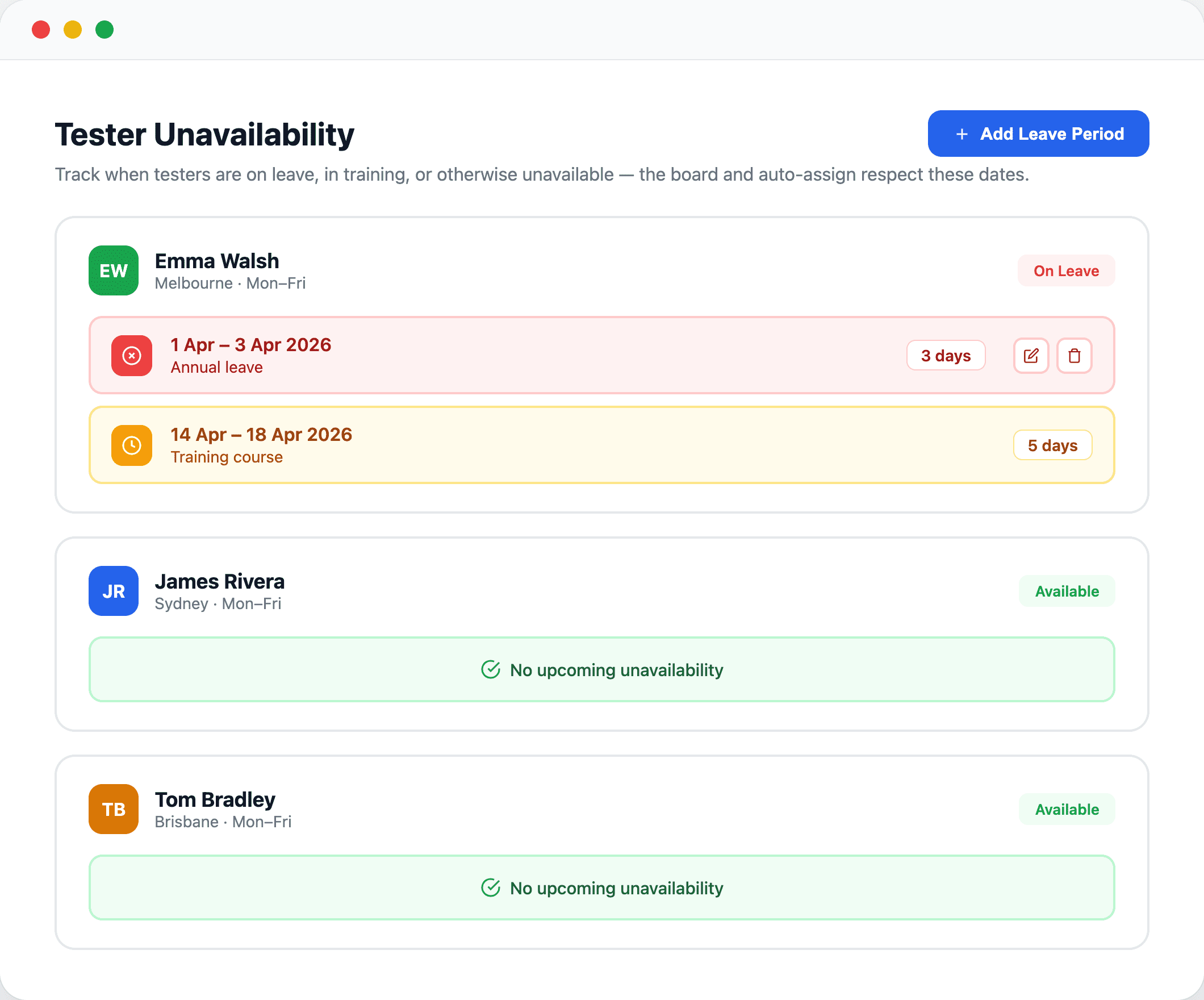
Track leave and training so nothing gets missed
Record when testers are unavailable — the board shows it in red and auto-assign skips them automatically. Testers can manage their own leave periods.
- Add leave, training, or any other absence period with a reason and date range
- The board flags unavailable testers in red so you see conflicts immediately
- Auto-assign automatically skips unavailable testers when distributing selections
- Testers can manage their own unavailability without needing admin access
- Upcoming and current leave shown together for easy planning