
Full test history and auditable records in one place
Manage your entire employee roster, sync from your HR system, and see every test and selection linked to each person — all from a single source of truth.
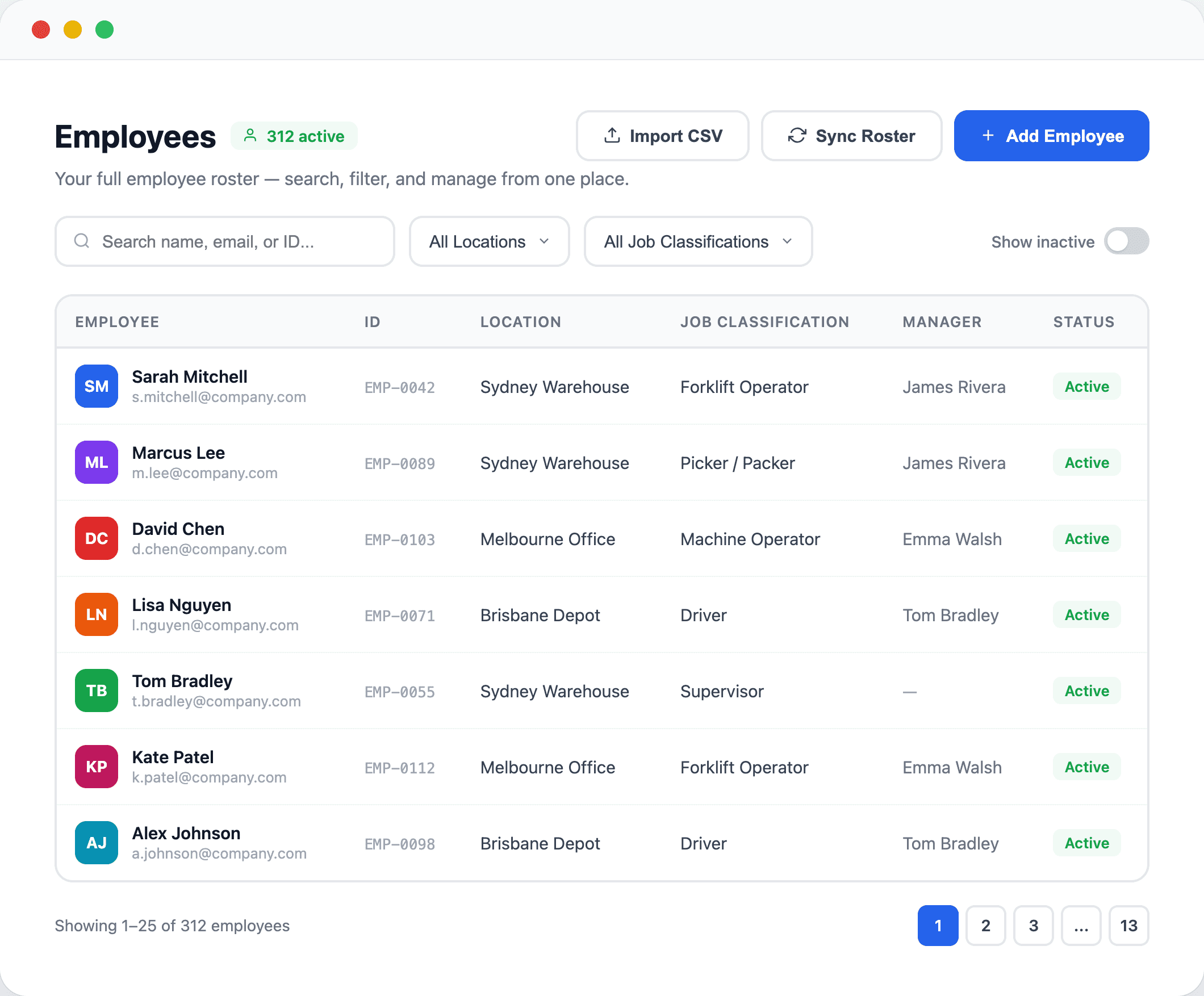
Your complete employee list, searchable and filterable
See every employee across your organisation with their location, job classification, manager, and status — search by name, email, or employee ID.
- Search by name, email, or external ID across your entire workforce
- Filter by location, job classification, or active/inactive status
- See manager assignments and employment type at a glance
- Add employees manually or import in bulk via CSV
- Click any employee to see their full profile, test history, and selection history
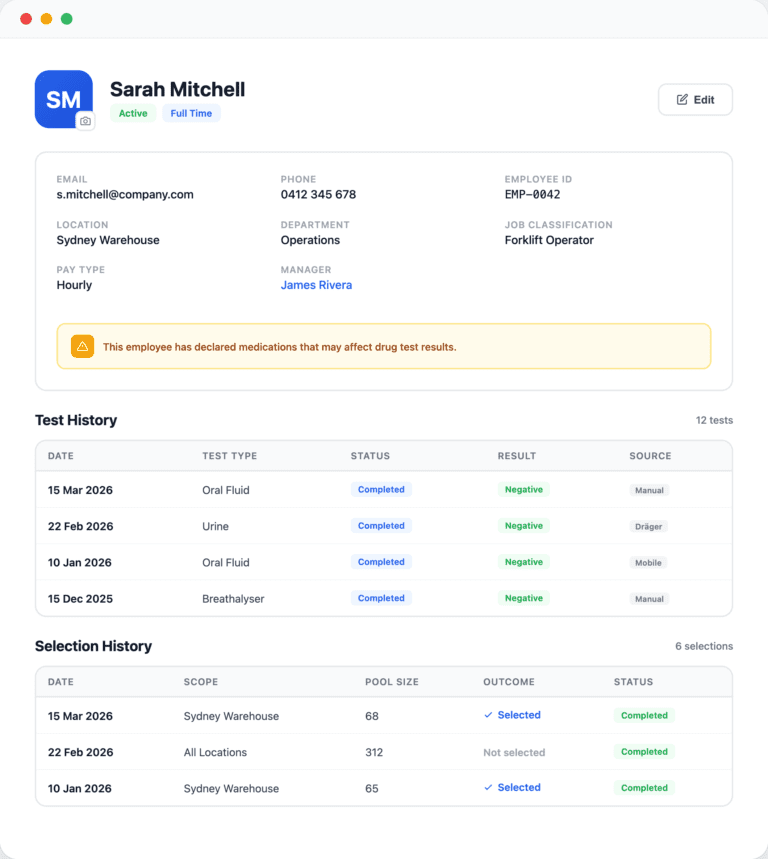
Every test and selection linked to every person
Open any employee’s profile to see their complete testing history, selection participation, contact details, and medication declarations — all in one place.
- Full test history with date, type, status, result, and source for every record
- Selection history shows every event the employee was in the pool for and whether they were selected
- Upload employee photos for easy identification on-site
- Medication declarations flag employees whose results may need extra consideration
- Edit details, reassign managers, or deactivate employees without leaving the page
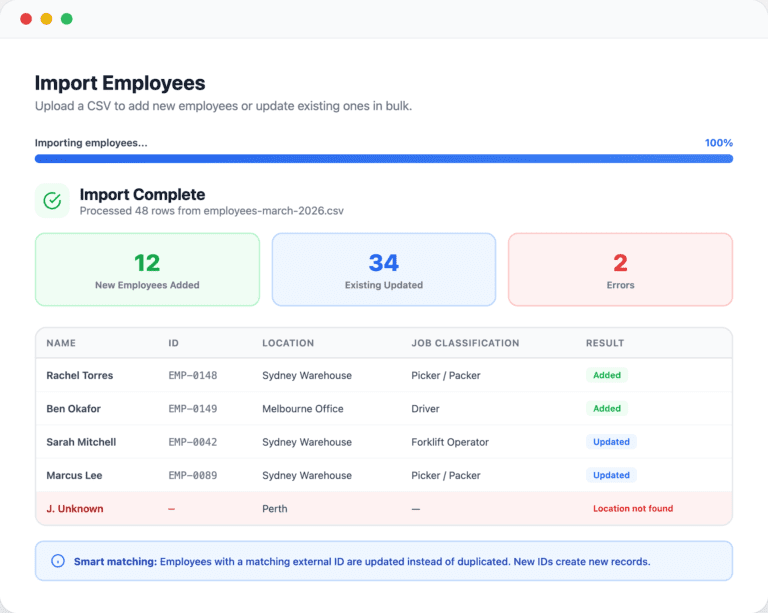
Import hundreds of employees in seconds
Upload a CSV to add new employees or update existing ones in bulk. Matching is automatic — if an employee ID already exists, the record is updated instead of duplicated.
- Smart matching by external ID prevents duplicate records on repeated imports
- Locations and job classifications matched by name automatically
- Progress bar and live results: added, updated, and errors shown per row
- Batch processing in groups of 25 for fast, reliable imports
- Download a template CSV to get your columns right the first time
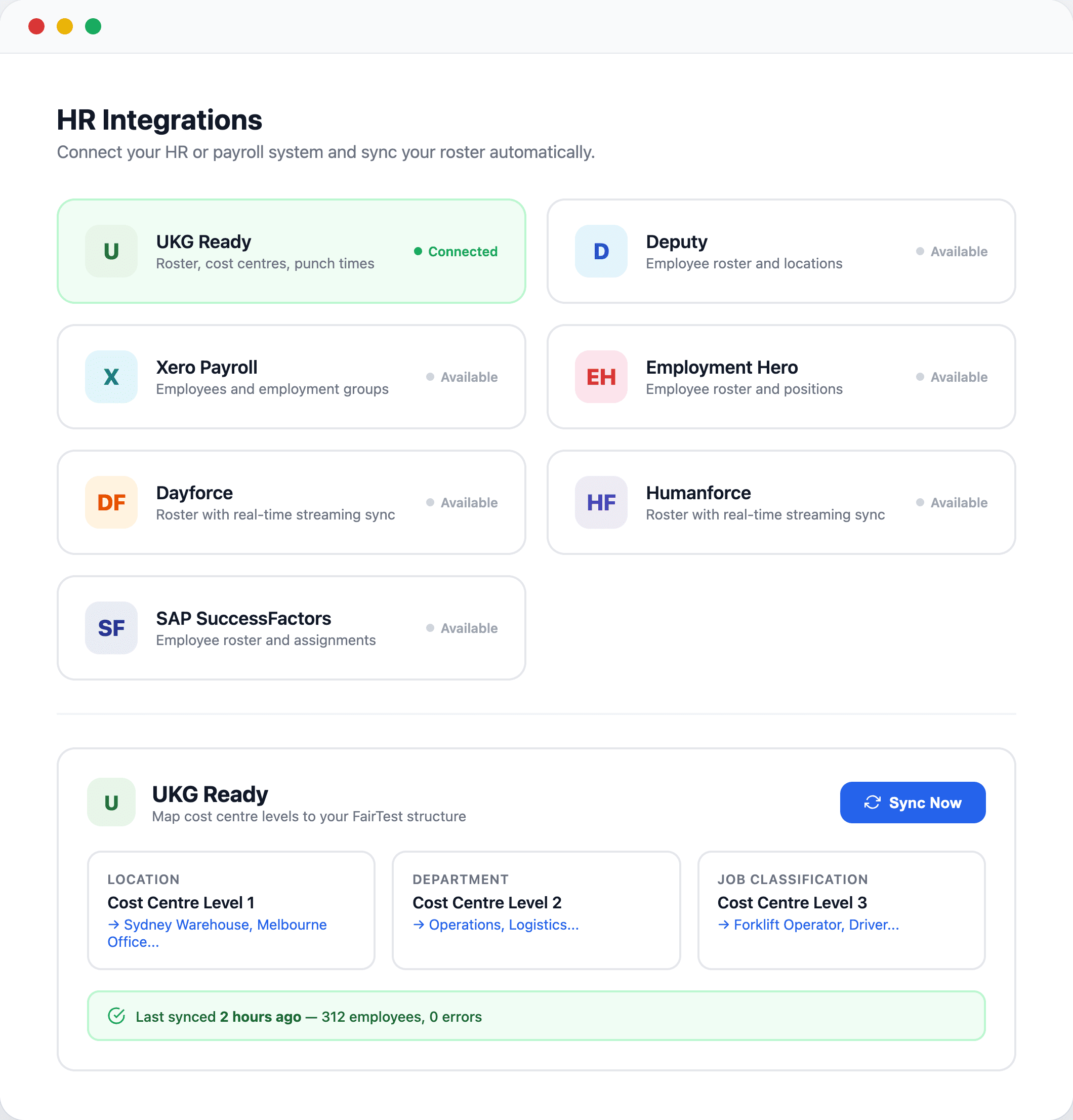
Sync your roster from the HR system you already use
Connect UKG Ready, Deputy, Xero, Employment Hero, Dayforce, Humanforce, or SAP SuccessFactors and keep your employee data in sync automatically.
- Seven HR integrations supported out of the box — connect in minutes
- Map cost centre levels or employee groups to your FairTest locations, departments, and job classifications
- One-click sync pulls the latest roster data from your HR system
- Real-time streaming progress for large roster syncs
- Smart upsert logic ensures existing employees are updated, not duplicated
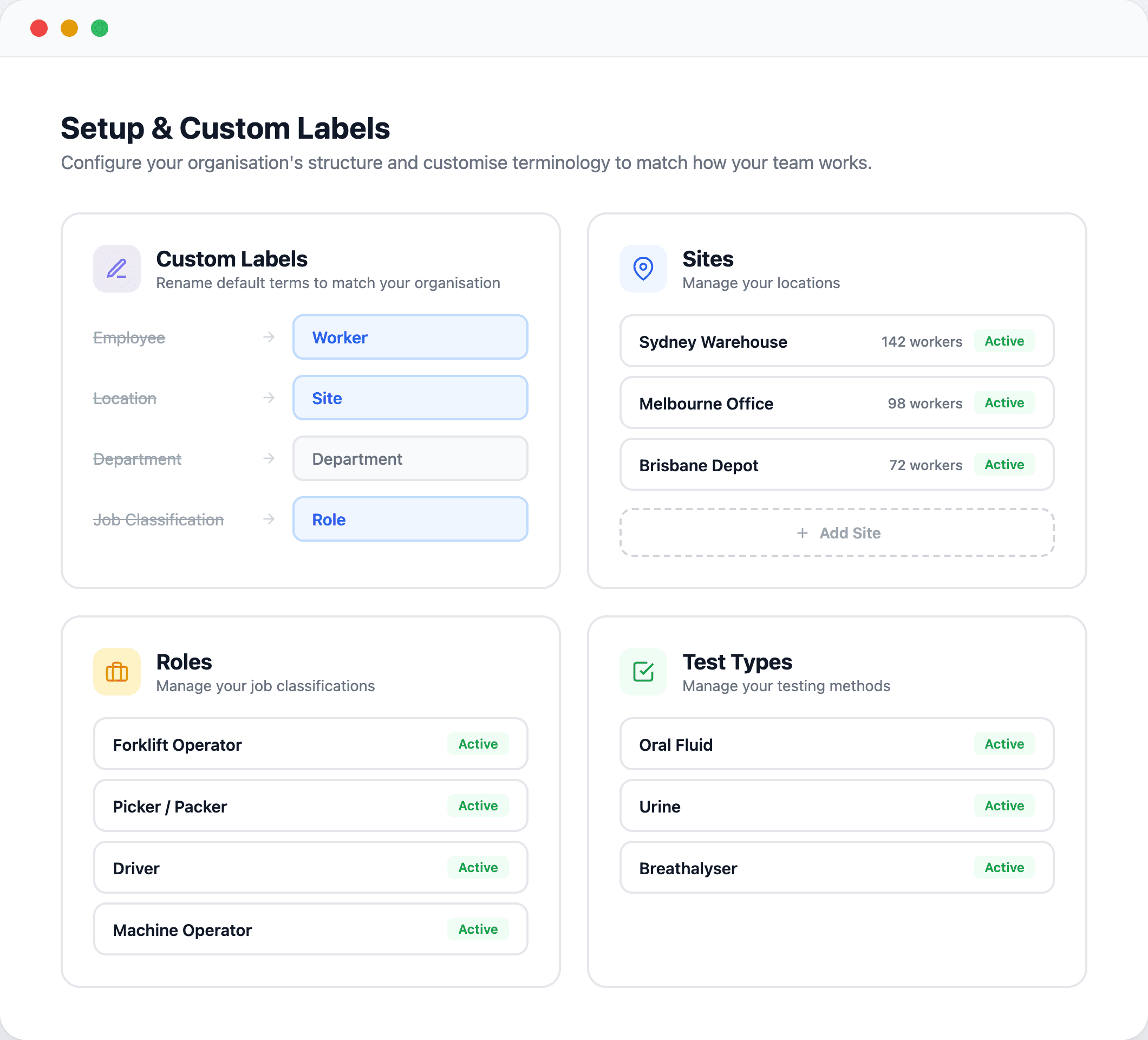
Make it yours — rename anything to match how your team works
Rename “Employee” to “Worker”, “Location” to “Site”, or “Job Classification” to “Role” — the entire app updates to use your terminology.
- Customise labels for employees, locations, departments, and job classifications
- Manage your locations, departments, job classifications, pay types, and test types from one setup area
- Add, edit, or deactivate any setup entity without disrupting existing records
- Custom labels apply everywhere — lists, forms, reports, and the mobile app
- Set up once and every team member sees the same terminology