
Log test results on-site in minutes
Capture everything — results, photos, signatures, and location — from your phone or desktop. No paper forms, no missing records.

Everything you need in a single form
Record the result, attach photo evidence, capture a signature, and tag the GPS location — all before you move on to the next employee.
- Select the employee, test type, date, status, and result in seconds
- Medication warnings alert testers before recording a positive result
- Attach result photos and photo ID with drag-and-drop
- Capture the person's signature directly on screen
- GPS location is tagged automatically so you know exactly where the test happened
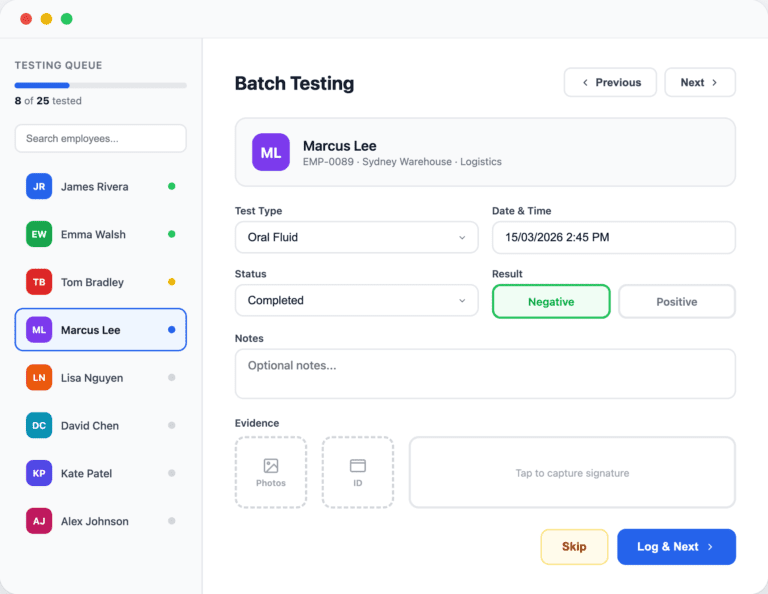
Test an entire selection in one sitting
Work through your selected employees one by one with a persistent sidebar queue — skip, come back, or jump to any employee at any time.
- Automatic queue built from untested employees in the selection event
- Progress bar and colour-coded status dots show who's done, skipped, or pending
- Test type, date, and result carry over between employees for speed
- Attach photos and signatures per employee without slowing down
- Search or jump to any employee in the queue instantly

Import results from devices and spreadsheets
Upload a CSV or plug in your Dräger DrugCheck or Alcotest export — employees are matched automatically and errors are flagged before anything is saved.
- CSV import with automatic employee matching by ID or name
- Dräger DrugCheck and Alcotest formats auto-detected from the file
- Preview every row before importing — valid rows and errors shown clearly
- Download a CSV template to get your format right the first time
- Batch processing handles hundreds of results in seconds
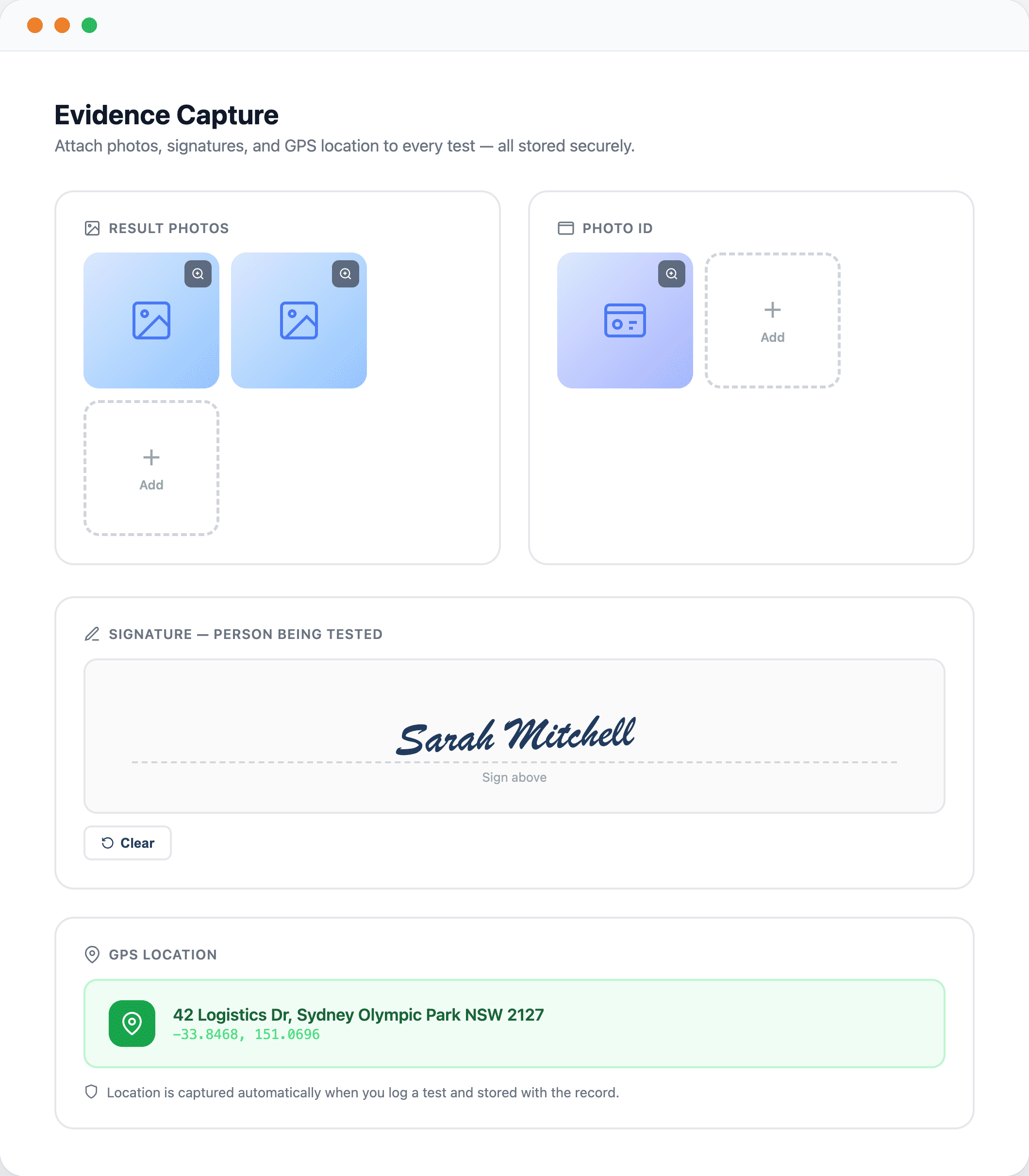
Photo evidence, signatures, and GPS — built in
Every piece of evidence is attached directly to the test record and stored securely, so it’s there when an auditor asks for it.
- Attach multiple result photos and ID photos per test
- On-screen signature capture for the person being tested
- GPS location auto-captured and reverse-geocoded to a street address
- All files stored in secure, private cloud storage with signed URLs
- Evidence available in the test detail view for review at any time

Every test in one searchable list
Filter by status, result, or employee name. See the source of every test — whether it was logged manually, imported from a device, or submitted via the mobile app.
- Colour-coded status and result badges make it easy to scan at a glance
- Source tracking shows whether each test came from manual entry, CSV, Dräger, API, or mobile
- Search by employee name or external ID
- Click any test to view the full detail, edit fields, or review the audit trail
- Pagination handles thousands of records without slowing down